Lab - Customize Assets
Lesson 8 of 16 · 15 min
In this lab, you will:
- Add an image to the theme footer
Prerequisites
- Previous labs have been completed
Step 1: Add an Image to the Theme Footer
- Save the image below as cclogo.jpg:

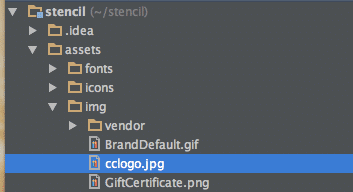
- Drag and drop it into the
<theme-name>/assets/imgdirectory of your Stencil theme
- Navigate to templates/components/common/footer.html
- Add the following code above the footer copyright:
- Observe credit card logos on the storefront

