Pagination
GraphQL uses a different strategy than REST APIs such as page and limit. The GraphQL Storefront API follows the GraphQL Cursor Connections Specification for pagination:
GraphQL Cursor Connections Specification
This specification aims to provide an option for GraphQL clients to consistently handle pagination best practices with support for related metadata via a GraphQL server. This spec proposes calling this pattern “Connections” and exposing them in a standardized way. In the query, the connection model provides a standard mechanism for slicing and paginating the result set.
Cursor Connections Specification
Cursors
To paginate, we ask for things that are related. We can say, “I have the first three products, now instead of the first three, I want the three after this one” and we can do this using cursors.
startCursor is the first thing returned and endCursor is the last thing returned.
The example below shows a query for a store’s first three products (notice first: 3 passed to products.)
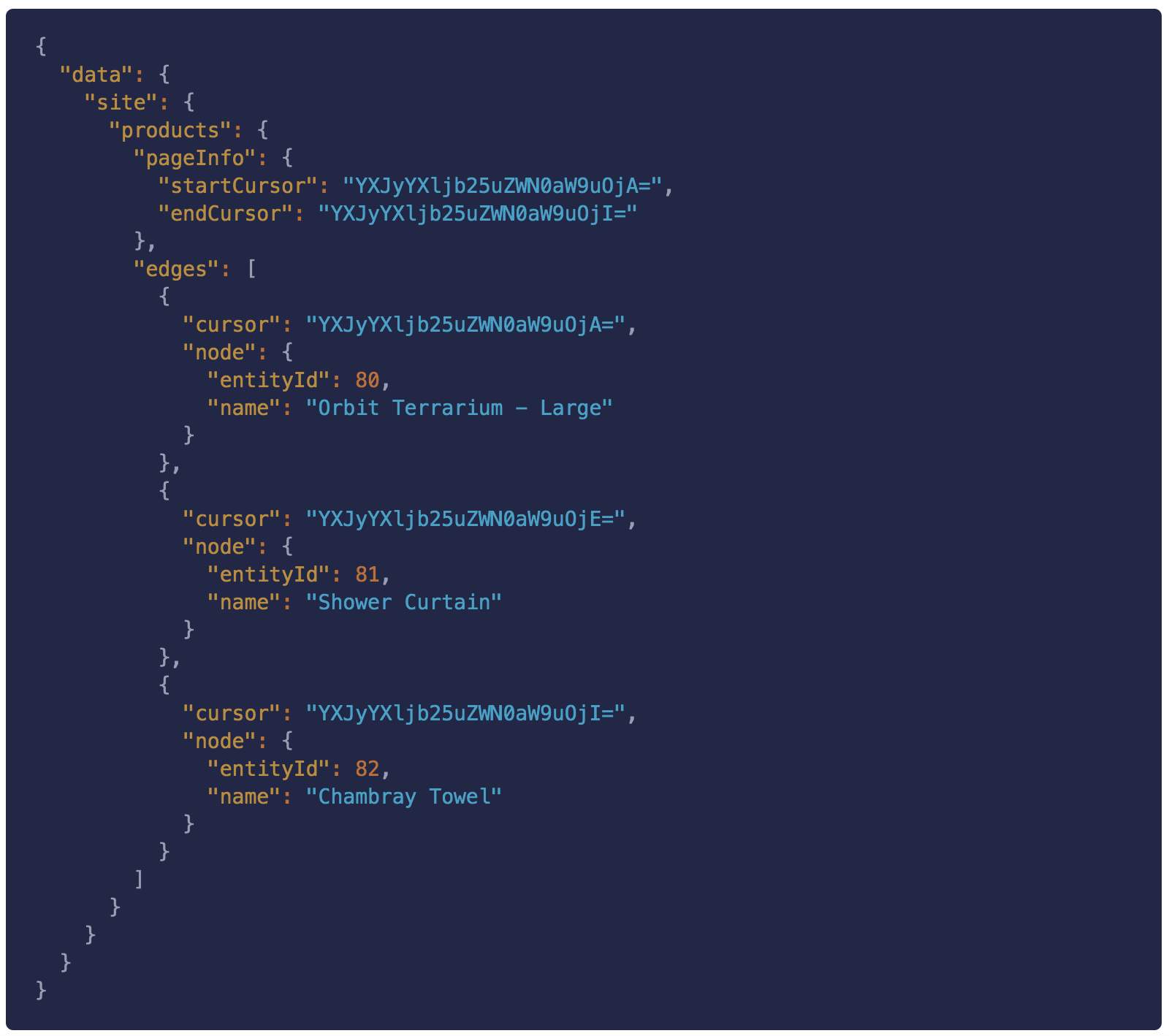
The response will look something like this.
Notice in the previous response, the edge corresponding to entityId: 81 has a cursor of YXJyYXljb25uZWN0aW9uOjE=.
We can pass that cursor to the after parameter to get the three products after entityId: 81:
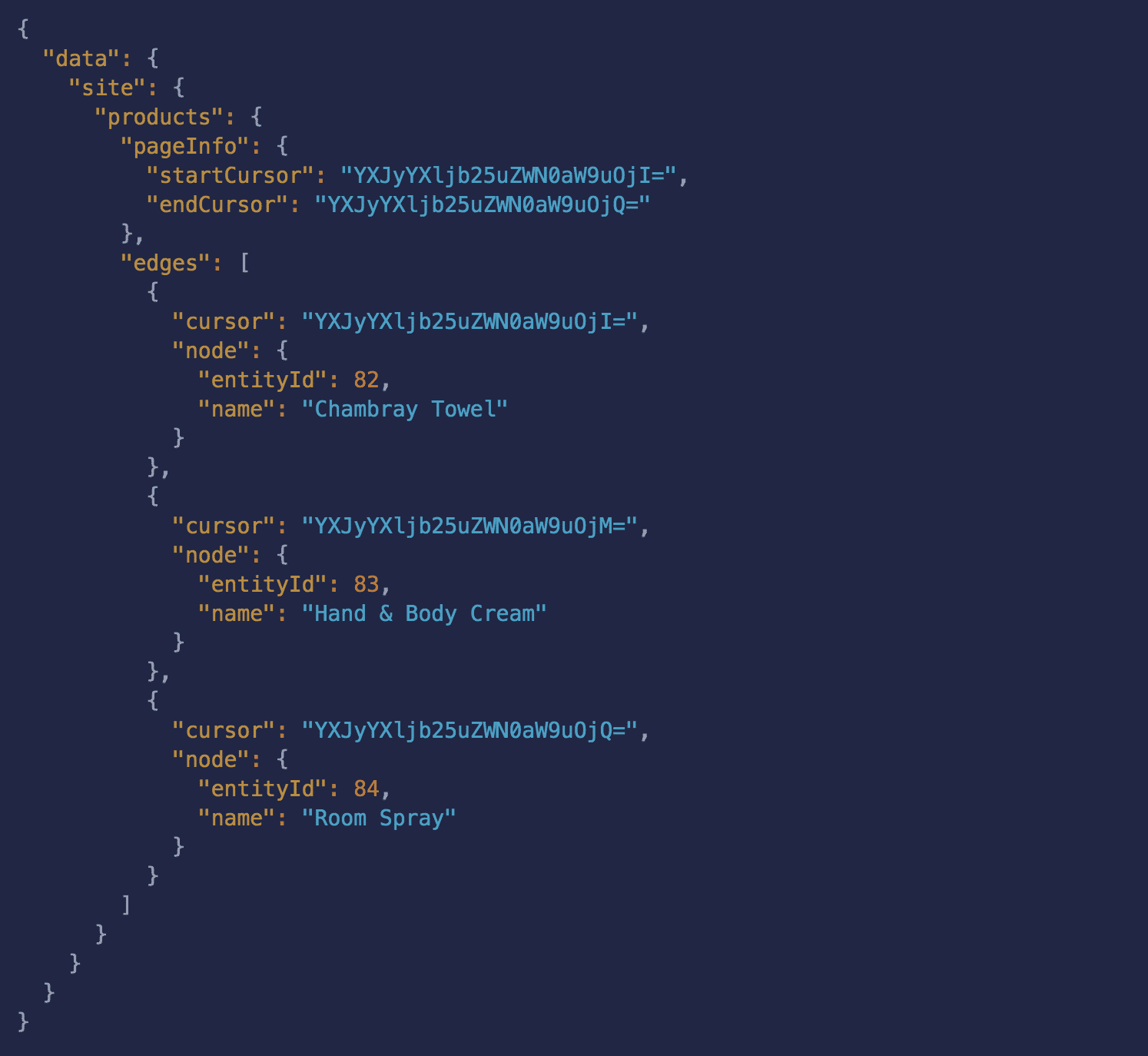
The results will look something like this (notice the last product entityId: 82 is now the first product).
Paginate through Slices
The same approach can be used to slice any GraphQL connection and paginate through the slices using startCursor and endCursor. For example, the following query gets the first 30 brands:
And given the following results:
You can retrieve the next thirty by making a new query and passing in the endCursor from the first page of results:

