Complexity Limits
Complexity Limits
There is an algorithm that calculates the complexity of a GraphQL query. Requesting more objects such as fifty products versus five products and more sub-resources of a product (i.e. options, etc.), will drive up the complexity score of the query.
This is not something that is exposed to you as a consumer but it is something that BigCommerce is calculating. When a certain complexity is reached, the query will be rejected.
Queries that exceed the complexity score will receive an error response similar to the example below:

The complexity limit error is usually caused by queries with a large quantity of deeply nested objects. For example, the query below requests four different product collections together with their prices, variants, options, and option values.
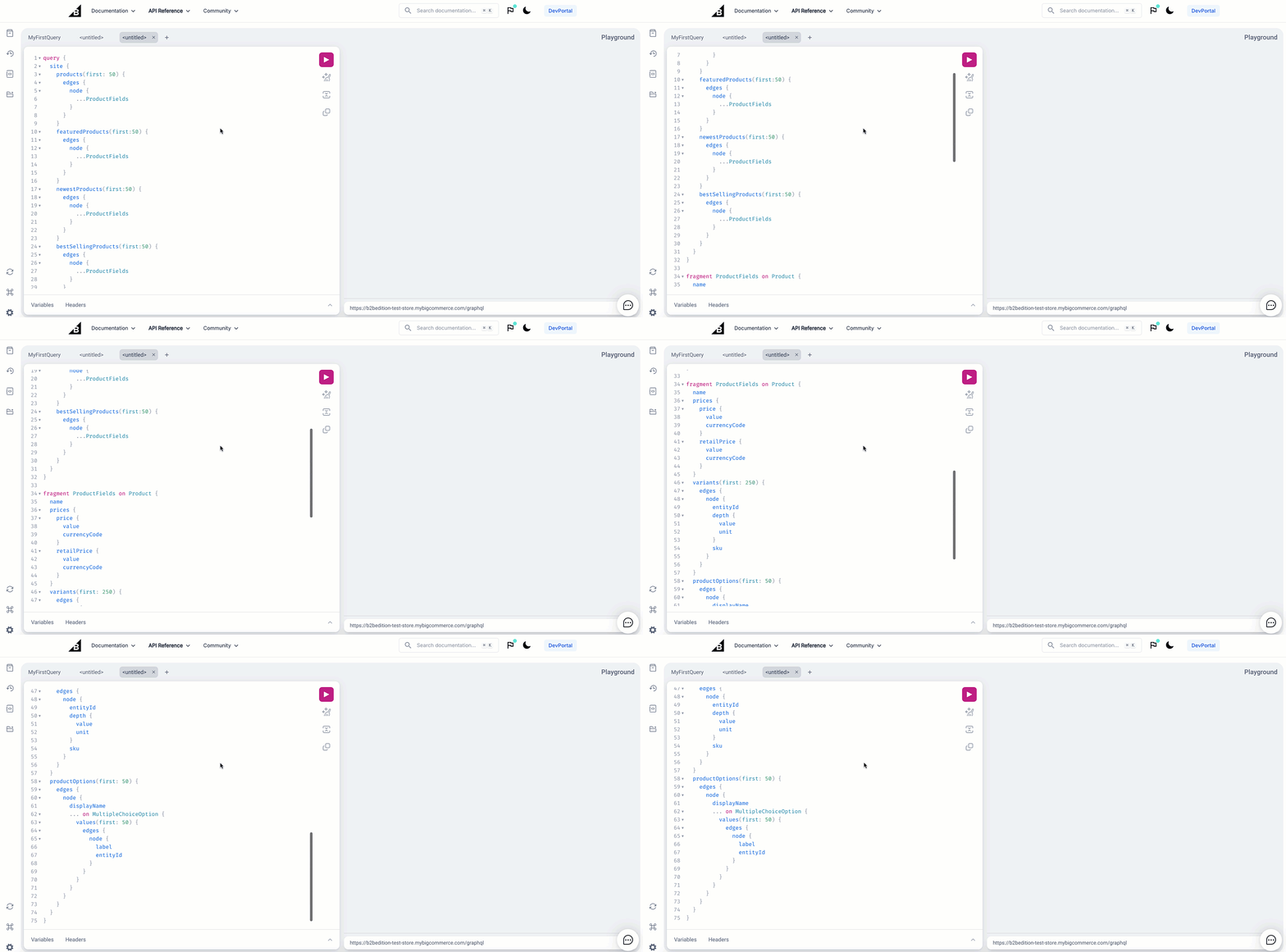
You can easily reduce the complexity of this query by changing the number of products queried in each collection from first:50 to first:10.
To reduce complexity, reduce the number of objects requested. For example, do the following:
- Limit collections to a smaller page size
- Reduce the number of items in nested collections
- Request fewer fields
Image queries will return 10 by default.

