GraphQL Request Structure
Fundamentals of GraphQL
The basic GraphQL query structure looks like this:
The root tells the GraphQL server what kind of request you are making. There are two possible roots in the Storefront GraphQL API: Query and Mutation.
- A query will only return the data you request. For example, you want to know what the names of the categories are for a storefront.
- A mutation will make a change to the storefront. For example, you want to add a shipping consignment to a customer’s order.
The fields and subfields define the objects for which you need to gather data. Adding subfields to a request will result in an array of items, allowing you to define your query to the exact information you need.
You can also add arguments to each field and subfield in a GraphQL request. This is how you can save time with GraphQL instead of making multiple REST API calls. The example below shows how you can use an argument to gather information about a specific category.
Edges and Nodes
Edges and nodes are fields that will be used anywhere we have a list of objects. These fields allow you to specify the data you want to be returned.
An edge is a field that connects a list of data to different nodes to allow you to specify what data you want to be returned.
A node is an edge type that is used to identify what data you want to be returned. Under the node field you can ask for data such as name, entityId, description, price, etc.
One way to think about the connection between edges and nodes is this – an edge is the page of data, and the node is identifying what data is on that page.
Example
The example query above is asking GraphQL to return a list (edge) of products in the store. The query also specifies that the list should only contain the entityId, name, and sku (nodes) for each product.
Variables
Variables can be used to create dynamic queries and mutations. They are passed like arguments to a function allowing the arguments to be extracted as variables from queries and mutations.
You need to do three things to start working with variables:
- Replace the static value in the query with
$variableName - Declare
$variableNameas one of the variables accepted by the query - Pass
variableName:value in the separate, transport-specific (usually JSON) variables dictionary
For example, the variable below is written in the variables dictionary:
When you write the variable into the mutation, it will look like this:
The variable definition looks like $createCartInput in the mutation above. It lists all of the variables, prefixed by $, followed by their type, in this case createCartInput. Variable definitions can be optional or required. The variable definition in the example above is required because we include a ! next to the definition.
Aliases
Aliases let you rename the result of a field to anything you want.
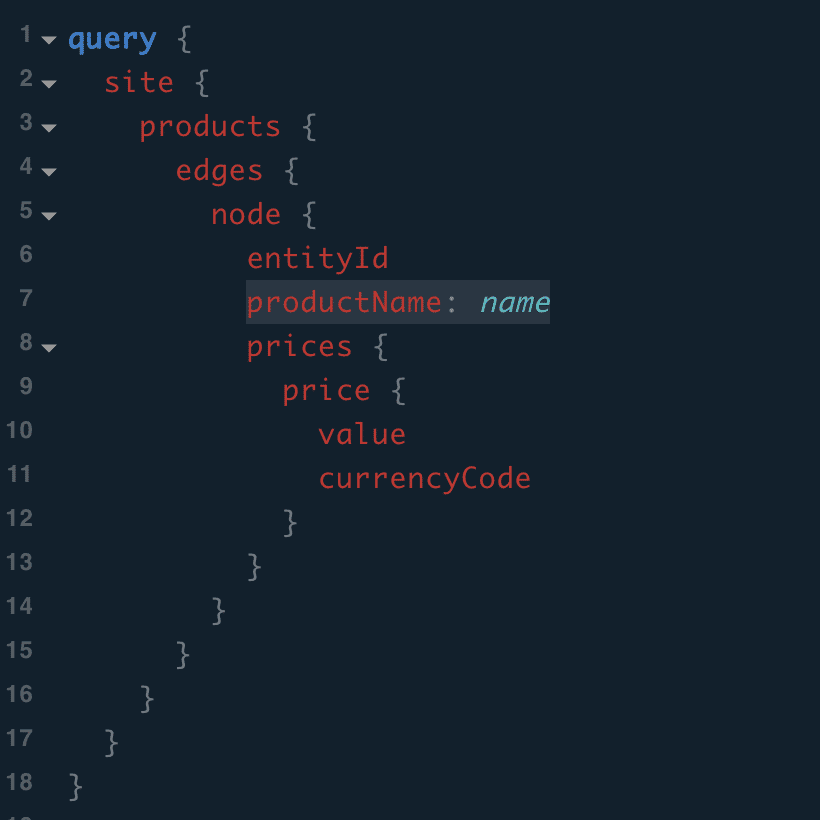
If we are interested in the Name but want it to be called productName in the response instead, we can alias the name.
productName: name
When you do this, you change the key on the response.
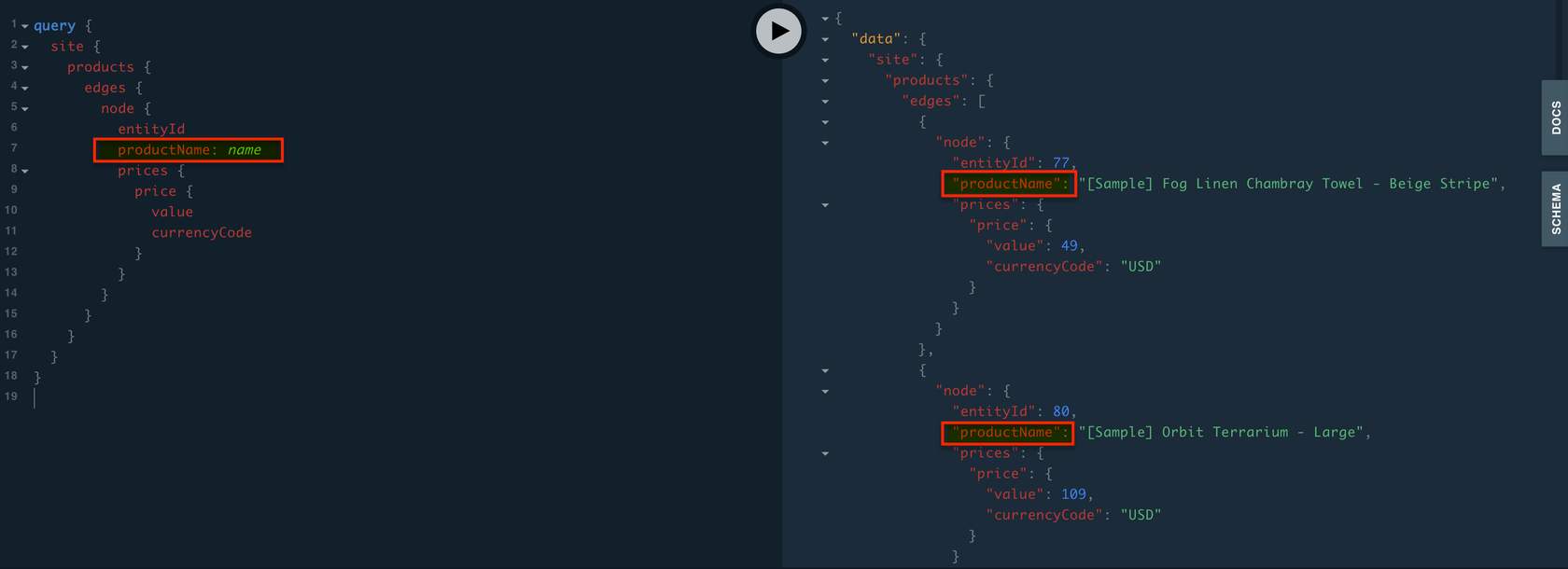
Aliases are useful for light cases when you need to map between two APIs. GraphQL will conform to what you need on the receiving end.
Fragments
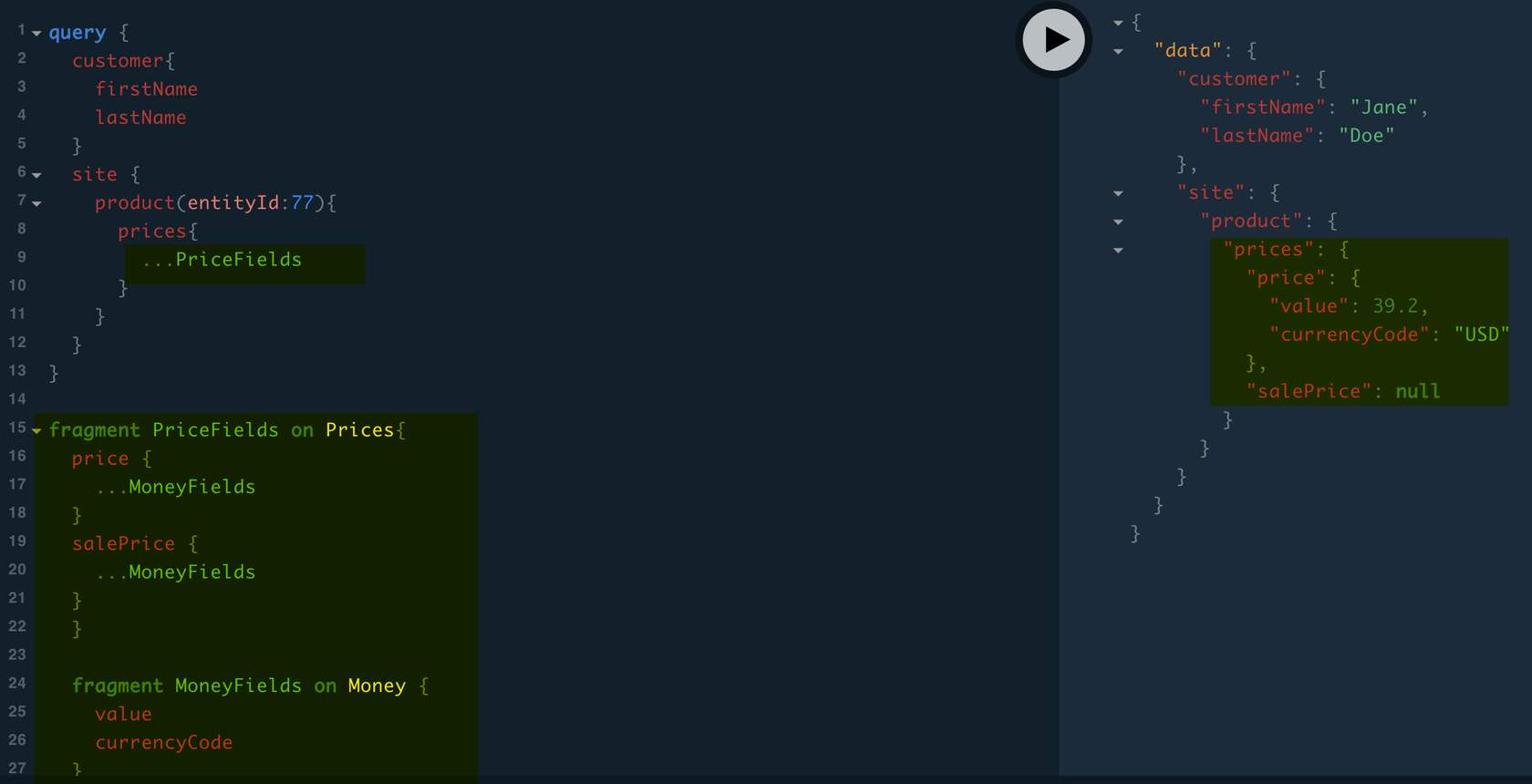
A GraphQL fragment is a reusable unit of a query. If you are going to request the same fields several times, you can use fragments which will save you duplication. Fragments are used for reusing things in several places. You can construct sets of fields and include them in queries where you need to.
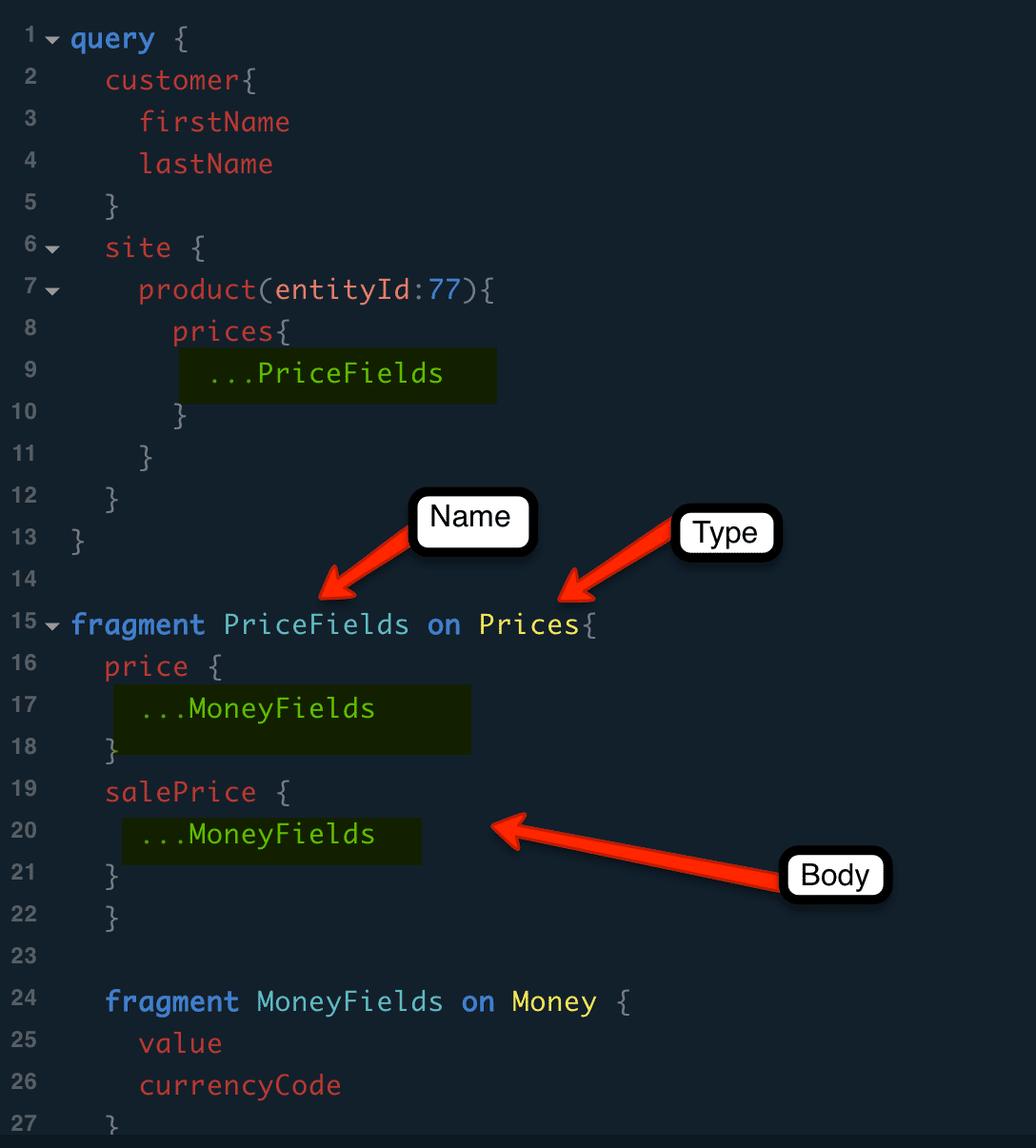
Fragments consist of three components:
- Name: This is the unique name of the fragment (each fragment can have its own name).
- TypeName: The type of object the fragment is going to be used on. It indicates which nested object, from the GraphQL schema, the fragment is created on.
- Body: The last part is the body of the fragment. The body of the fragment defines the fields that will be queried on.
Use the fragment within the query by using the
...operator and providing the fragment’s name. Example:...PriceFields
By using product (as opposed to products) for a single product, you can indicate the product ID of interest using the entityId and since we don’t want to retype everything, you can use the fragment to return the fields we want.