Front-end Tools
Introduction
BigCommerce’s APIs provide the core extensibility that allows you to interact with the platform in the ways you need to from your own applications, but the native toolkit doesn’t end there. A number of key front-end tools provide the backbone of the platform’s storefront UIs.
While you are free to build any front-end you want for your storefronts, it’s important to understand these core tools and the power you have to customize the “out-of-the-box” implementation of each.
BigCommerce Storefronts
BigCommerce offers two officially supported storefront frameworks, both providing a fully built ecommerce experience out of the box, ready for your own features and customizations. Which storefront option is the best for your store depends on your preferred set of front-end tools and your architecture requirements.
Stencil
Stencil is BigCommerce’s traditional, integrated theme engine. Stencil theme packages are centered around server-side HTML-based templates, which are handled directly by the BigCommerce back-end to serve the core storefront experience.
The officially maintained, open-source Cornerstone theme is an optimized, responsive, and fully functional starting point for your custom theme development. Cornerstone is the default theme applied on every new Stencil storefront.
Catalyst
Catalyst is the open-source, modern composable storefront officially engineered and maintained by BigCommerce.
Built and optimized on Next.js and React, Catalyst is a truly decoupled front-end that offers a fully functional ecommerce experience out of the box, while also giving you the power to integrate and customize according to your needs.
While Catalyst is designed to be a best in class starting point for a composable storefront, BigCommerce’s robust APIs also fully support building your own composable front-end from scratch, using any language or framework.
Learn more about Stencil, Catalyst, and key front-end development principles in Storefront Foundations.
Optimized One-Page Checkout
BigCommerce’s Optimized One-Page Checkout provides a secure and intuitive checkout experience for your storefronts. This is the default checkout experience for all Stencil storefronts.
This checkout implementation is a client-side app, leveraging the power of React to provide a responsive and intuitive interface.
The checkout codebase is available open-source via the Checkout JS GitHub repository. This offers developers the option to start with the fully built checkout experience and customize it to any degree necessary.
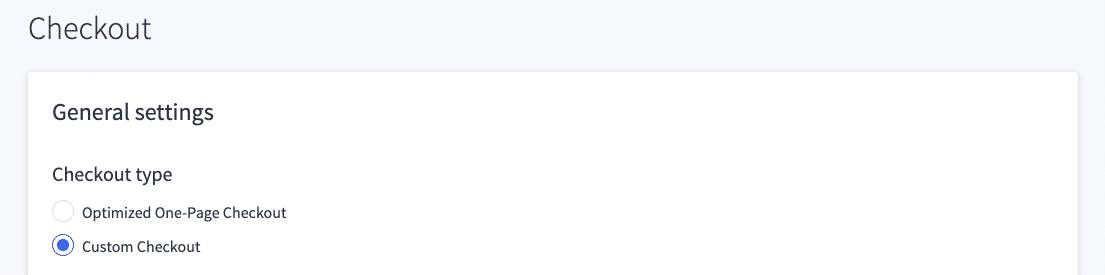
In your store control panel, you can configure “Custom Checkout” as your checkout type and specify the location where you’ve hosted your custom checkout app. This will result in your own implementation being loaded as the checkout interface in your storefront.
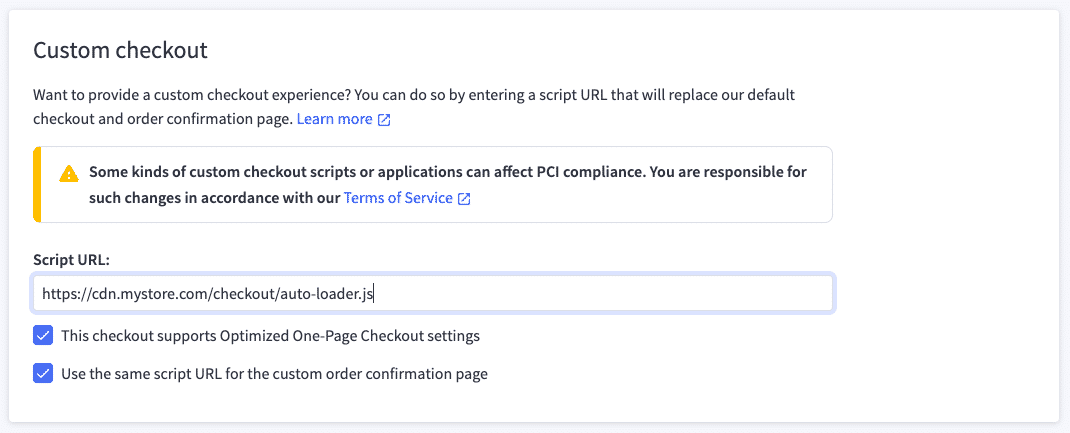
Note that merchants using a self-hosted, customized checkout application have an increased burden for PSI DSS compliance, since they are responsible for the code handling customers’ payment details.
Hosting your checkout loader on your store’s server using WebDAV will mitigate this burden, since code is still served from BigCommerce’s managed hosting. Is is still your responsibility, however, to maintain the PSI compliance of the code and ensure that payment data is not being transmitted to an insecure destination.
Learn more about WebDAV access in the BigCommerce knowledge base.
See more details on customizing checkout in the BigCommerce documentation.
Optimized One-Page Checkout in Composable
While the BigCommerce native checkout is automatically built into any Stencil storefront, it is still highly relevant for composable storefronts as well.
The GraphQL Storefront API and Payments API give you the necessary tools to build an entirely custom checkout in a composable front-end. However, because of the lower PCI DSS compliance burden when customer payment details aren’t transmitted through the custom front-end, as well as the advantage of using a pre-built solution, it’s common to opt for a “hybrid” approach - a composable storefront that redirects to the integrated BigCommerce front-end when it comes time to check out.
The Channel Sites configuration, with the ability to set the main site URL and checkout URL separately, is optimized for this redirected checkout scenario. See the API reference for updating a site’s checkout URL.
When redirecting from your composable storefront to BigCommerce for checkout, either native Optimized One-Page Checkout or your own customized Checkout JS loader can be configured, the same as with a Stencil storefront.
Checkout JavaScript SDK
The Checkout JS SDK, also available in GitHub, is a lower level client-side library used by Checkout JS, providing built-in methods for critical checkout operations using the REST Storefront API.
Utilizing this SDK directly is useful when you want to build your own checkout interface within the native BigCommerce front-end.
B2B Buyer Portal
For stores equipped with B2B Edition, the Buyer Portal is a client-side interface providing all core shopper-facing B2B functionality, such as managing a company’s users, requesting quotes, maintaining shopping lists, and viewing and paying invoices.
Like Checkout JS, the Buyer Portal is a React application, and the default implementation is available as an open-source project. This gives you the power to implement your own customized UI when necessary, by adjusting your Buyer Portal settings and Script Manager scripts to load your self-hosted client app.
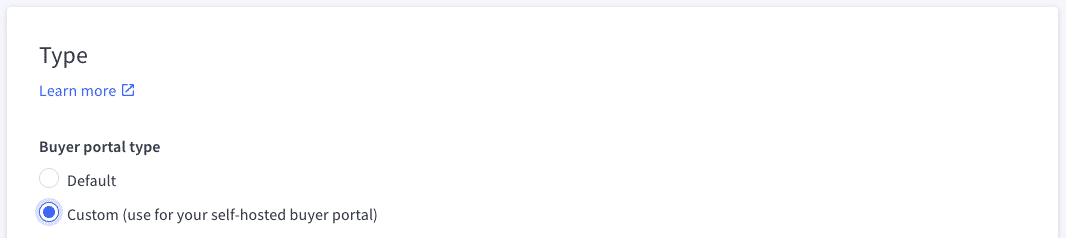
See the README of the Buyer Portal GitHub for details on how to configure Stencil with your custom implementation or integrate the Buyer Portal with a composable/headless front-end.

