Images, Videos, and Custom Fields
We have created an eCommerce universe where products exist with limitless options and established order through brands and categories. Now, let’s bring the products to life through the magic of images, videos, and custom fields.
In this lesson, we’ll learn how to add an image to a product, add a video to a product, and add a custom field to a product.
Product Images
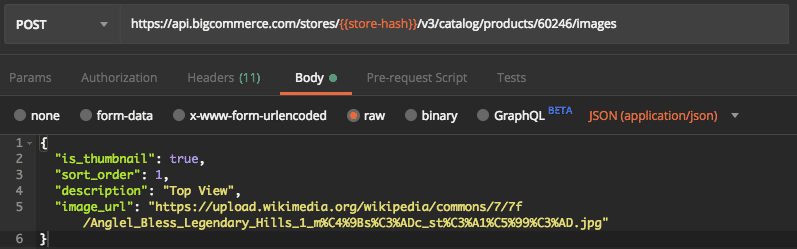
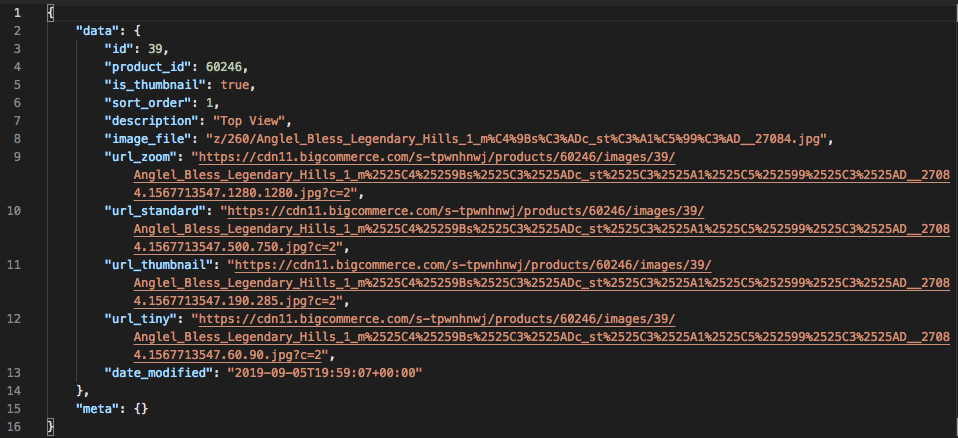
Product images are used to show shoppers what they’re buying. When creating an image, image URLs, or an image file can be passed in. Using an image URL does not make the asset a reference to the original, but instead BigCommerce downloads a copy and pushes it out to the CDN.
When dealing with product thumbnails, remember that only one image can be the product thumbnail. The product thumbnail is the image that shows on the category page, in search results, and any other location that features the product. If only one image is on the product it becomes both the thumbnail and the main product image.
Create a Product Image
Creates a product image.
Required Fields
image_fileorimage_url
Only one image at a time can be created. When using file upload, other image file parameters can be updated as well as using key:value pairs.
A GET request to the same endpoint will return ALL product images for a product.
Update a Product Image
Updates a product image.
Use this endpoint to GET and/or DELETE a Product Image.
Product Videos
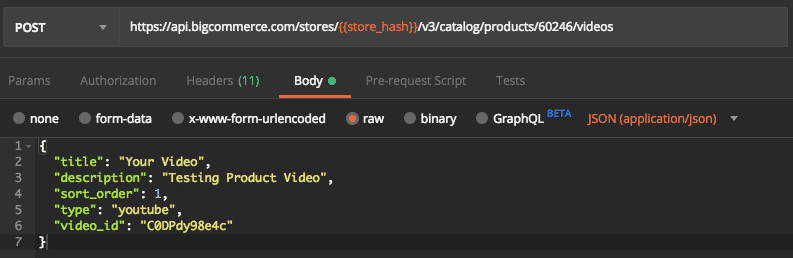
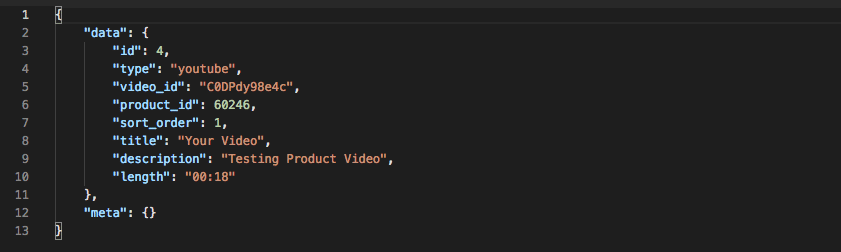
Product Videos help shoppers connect with the product. Products with well-done videos really sell. Like product images, a product can have more than one video; however, remember that product videos must be hosted on YouTube. The video_id corresponds to the “v” parameter in a YouTube video URL.
Create a Product Video
Creates a product video.
Required Fields
video_id- Example:https://www.youtube.com/watch?v=R12345677
Publicly accessible URLs are valid parameters. Videos must be loaded through YouTube at this time.
Use this endpoint to GET a list of product videos.
Update a Product Video
Updates a product video.
Use this endpoint to GET and/or DELETE a product video
Custom Fields
Custom fields are a feature intended for product specifications in a key:value arrangement. With them, you can display specifications on the product detail page and on the product listing pages such as category and brand pages. These allow you to specify additional information that will appear on the product’s page, such as a book’s ISBN or a shirt’s fabric.
It is important to remember that in powering faceted search (searching/filtering by custom field values), there is a limit of 250 characters for custom field values.
Create a Custom Field
Creates a custom field.
Required Fields:
namevalue
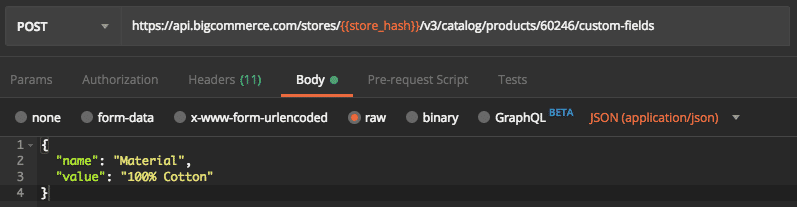
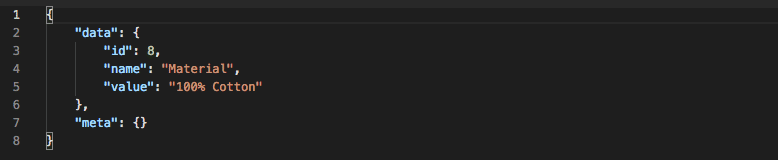
It is possible to create multiple custom fields at once by passing in an array.
Update a Custom Field
Updates a custom field.
Use this endpoint to GET and/or DELETE a Custom Field

