Elements

Theme settings element types used in schema.json to configure the Theme Editor UI.

checkbox

Used to toggle on theme settings (boolean value).

checkbox: theme settings
{
"type": "checkbox",
"label": "i18n.HideBreadcrumbs",
"force_reload": true,
"id": "hide_breadcrumbs"
},

Required fields: type, label, and id.

Optional field: force_reload.
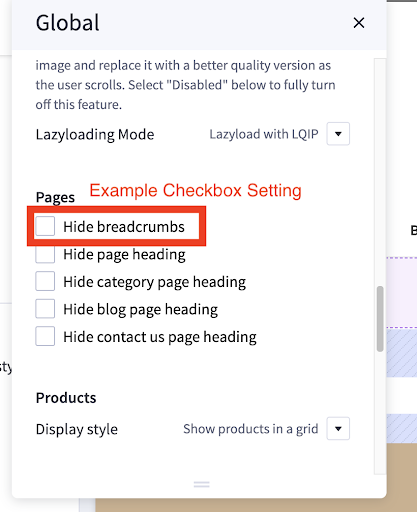
Theme styles checkbox

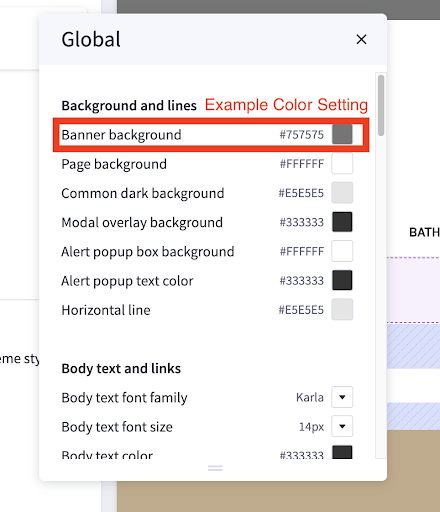
color

Used to set color value on theme setting (hex value).

color: theme settings
{
"type": "color",
"label": "i18n.BannerBackground",
"id": "color-primary"
},

Required fields: type, label, and id.

Theme styles color

font

Used to select font value on theme setting.

font: theme settings
{
"type": "font",
"label": "i18n.BodyTextFontFamily",
"id": "body-font",
"options": [
{
"group": "i18n.Karla",
"label": "i18n.Karla",
"value": "Google_Karla_400"
},
{
"group": "i18n.Roboto",
"label": "i18n.Roboto",
"value": "Google_Roboto_400"
},
{
"group": "i18n.SourceSansPro",
"label": "i18n.SourceSansPro",
"value": "Google_Source+Sans+Pro_400"
}
]
}

Required fields: type, label, id, and options.

Optional field: force_reload.
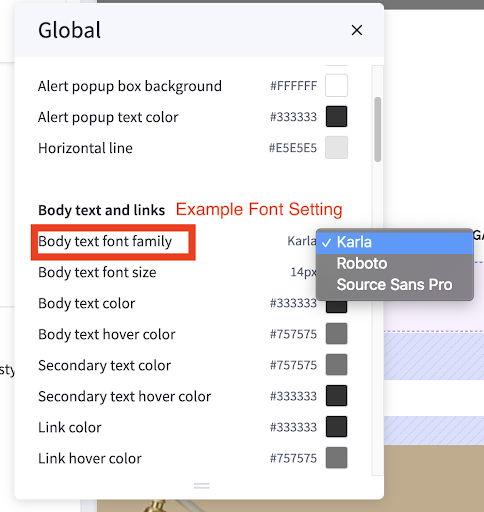
Theme styles font

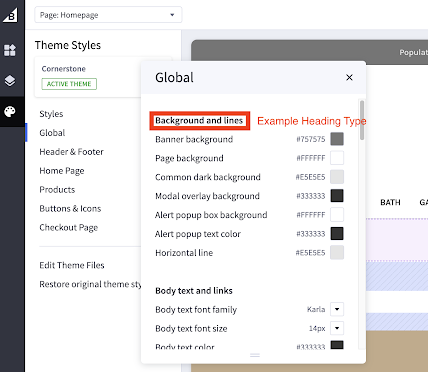
heading

heading
{
"type": "heading",
"content": "i18n.BackgroundAndLines"
},

Required fields: type and content.

Theme style heading

imageDimension

Used to set image ratio on theme setting.

imageDimension
{
"type": "imageDimension",
"id": "blog_size",
"force_reload": true,
"label": "i18n.SizeOfImages",
"options": [
{
"value": "190x250",
"label": "i18n.OptimizedForTheme"
},
{
"value": "custom",
"label": "i18n.SpecifyDimensions"
}
]
},

Required fields: type, label, id, and options.

“custom” value option will allow users to specify the width/height. Else, use values set by the theme developer. An example image follows
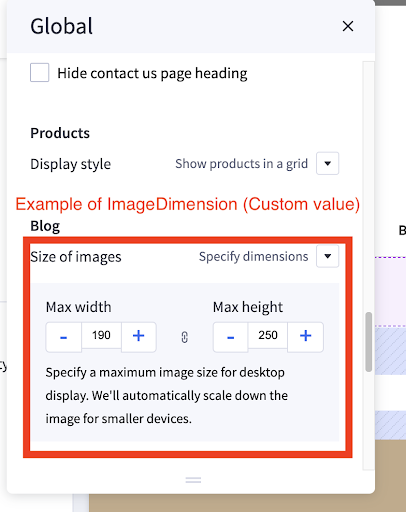
Theme styles image dimension

optimizedCheckout-image

Upload a custom logo to checkout when using optimized one-page checkout.

optimizedCheckout-image
{
"type": "optimizedCheckout-image",
"label": "i18n.250X100pxRecommended",
"reference": "optimizedCheckout-show-logo",
"reference_default": "none",
"force_reload": true,
"id": "optimizedCheckout-logo"
},

reference

The reference field on a setting can show additional settings based on the value of another setting. For example, we may want to hide the Product Sale Badge Label setting if Show product sale badges setting equals none.

ShowProductSaleBadges setting
{
"type": "select",
"label": "i18n.ShowProductSaleBadges",
"id": "product_sale_badges",
"force_reload": true,
"options": [
{
"value": "none",
"label": "i18n.None"
},
{
"value": "topleft",
"label": "i18n.TopLeft"
},
{
"value": "sash",
"label": "i18n.Diagonal"
},
{
"value": "burst",
"label": "i18n.Burst"
}
]
},
ProductSaleBadgeLabel setting
{
"type": "text",
"label": "i18n.ProductSaleBadgeLabel",
"force_reload": true,
"id": "pdp_sale_badge_label",
"reference": "product_sale_badges",
"reference_default": "none"
},

In this example, you can see that when ShowProductSaleBadges equals none, the ProductSaleBadgeLabel text setting is hidden. But when ShowProductSaleBadges has a value other than none, ProductSaleBadgeLabel text setting displays.

The reference field is added to the setting you want to toggle the display of based on a value (so in this example ProductSaleBadgeLabel). The value for reference should be the id of whichever setting you are referencing (so in this example product_sale_badges).

The reference_default field should be set to the value the setting wants to reference. In this case, none will set the ProductSaleBadgeLabel hidden until ShowProductSaleBadges changes in value.
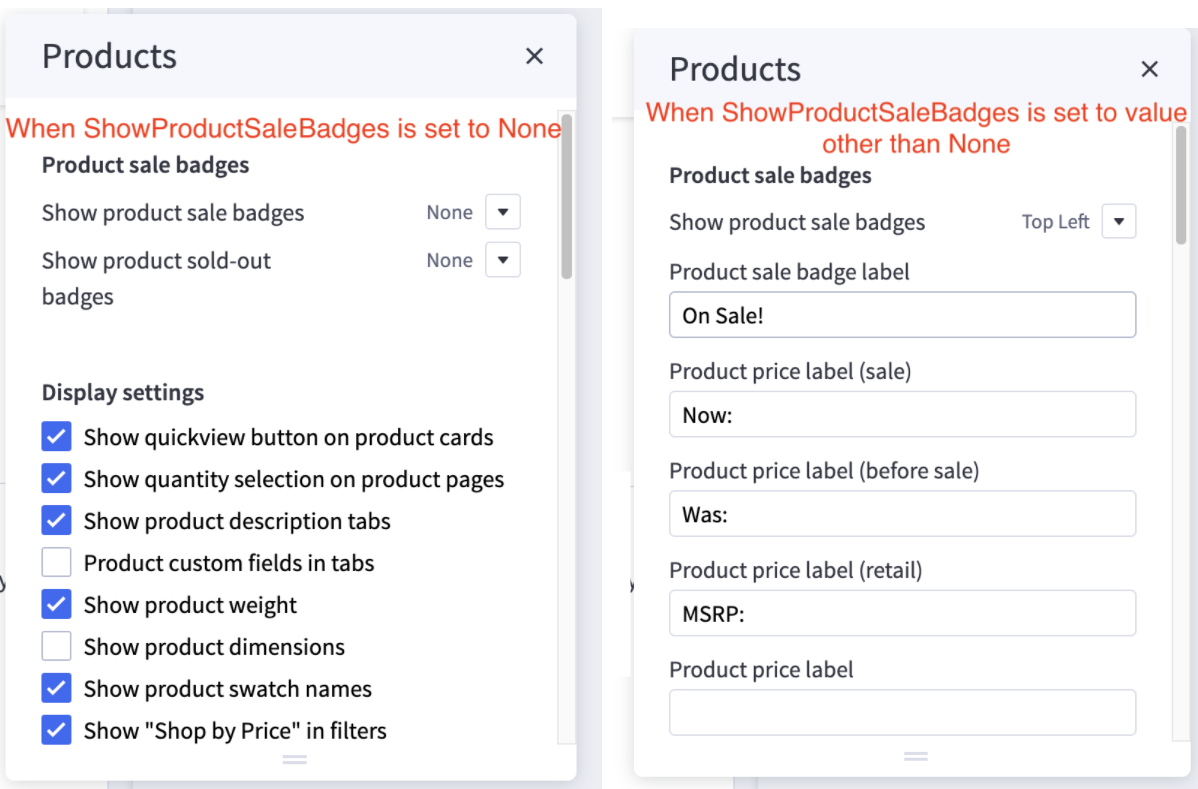
Theme styles reference

select

Used to select custom value on theme settings.

Option types should all be the same (i.e., string, number, etc.).

select: add option type
{
"type": "select",
"label": "i18n.BodyTextFontSize",
"id": "fontSize-root",
"options": [
{
"value": 12,
"label": "12px"
},
{
"value": 13,
"label": "13px"
},
{
"value": 14,
"label": "14px"
},
{
"value": 16,
"label": "16px"
}
]
},

Required fields: type, label, id, and options.

Optional field: force_reload.
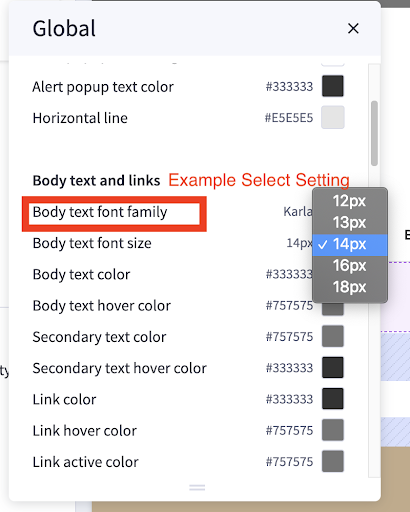
Theme styles select

text

Used to set string value for theme settings.

text: set string value
{
"type": "text",
"label": "i18n.ProductPriceLabelSale",
"force_reload": true,
"id": "pdp-sale-price-label"
},

Required fields: type, label, and id.

Optional field: force_reload.
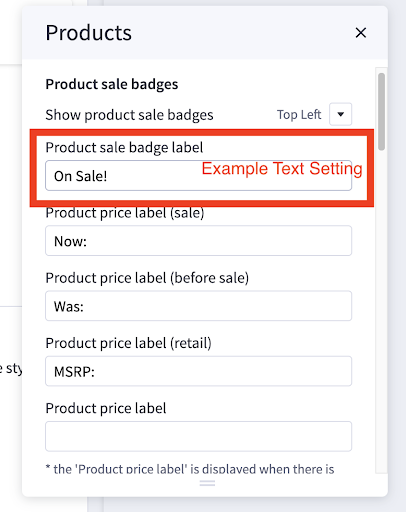
Theme styles text