Makeswift Sites and Templates
Introduction
All content you craft and update with Makeswift exists within the context of a s** ite**. Sites are a key organizational concept and have the following qualities:
- Host/domain- Each site has a designated host and primary domain. The host URL is not only for serving the public site, but is also used by Makeswift itself for loading the site within the builder interface.
- Site API key- A unique API key is generated for each site, which the frontend application uses to communicate with Makeswift.
- Content- The pages, layouts, and content blocks you create are unique to a site.
- Resources- Certain resources such as global colors, text styles, and code snippets are shared for all pages on a site.
By contrast, workspaces exist at the organization level and allow multiple users to collaborate. A workspace can contain multiple sites, and users can belong to multiple workspaces.
Setup Options
Any site consists, at its core, of a hosted Next.js frontend application paired with content authored in the Makeswift builder. Where this frontend application is hosted, and what domain serves it, depends on which of two options you use to set up the site.
Sites in Catalyst
As previously noted, when a Catalyst storefront is created via the Catalyst CLI installer or the BigCommerce store control panel, two sites will be created within the Makeswift workspace: the primary preview site and a “dev” site configured with a localhost domain.
Both of these sites are Custom Host sites.
If you choose to install sample data in your Catalyst storefront, this will also include pre-built example content and components in your Makeswift site. This initial sample content will be installed on both the primary and developer sites, giving you an identical starting point for testing with local development. However, content between the sites will diverge after this; content created or edited on the primary site will not affect the developer site, and vice versa.
You may choose to create new sites within the workspace associated with your Catalyst storefront at any time; see the details for creating a site on the default host below.
Creating a Site on the Default Host
To add a new basic content site within the Makeswift builder, simply choose “Create new site” from the primary switcher menu when logged into app.makeswift.com.
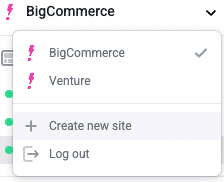
You’ll be prompted to use the Makeswift CLI installer or to start directly with the builder. Choose “Go to the builder” to create a site on the default host.
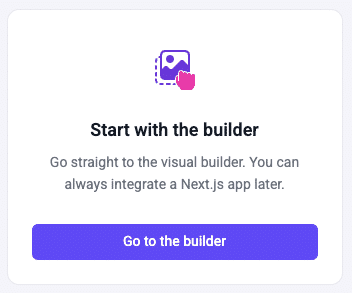
While still running on the default host, a Makeswift site supports only basic, static page creation. Default host sites are not Catalyst storefronts, but they can be re-pointed to a deployed Catalyst storefront as mentioned above.
Can I convert a default host site?
What if you initially created a Makeswift site on the default host directly in the builder interface, but now you’re ready to move to a customized codebase (whether a static site or Catalyst storefront)?
You can change the Host URL in a site’s settings at any time. This makes it possible to instantly “re-point” a site to a Makeswift installation you have set up, even if it started life hosted on the default host.
You must also make sure to enter the site API key in the environment configuration of your running installation.
Use caution in considering any workflows like “re-pointing” a Makeswift site at a different codebase than it was originally provisioned with. As an example, consider a scenario in which you have already built out content on a site using custom components, and you change its Host URL to an installation without those component definitions. This will quickly cause problems with the rendering and editing of your site!
What about the CLI installer?
The CLI installer option offered when creating a new site from the builder interface is the basic Makeswift installer. Similar to the “start with the builder” option, using this CLI installer sets up a local Next.js project for a basic content site, which is not integrated with BigCommerce or Catalyst.
Site Templates
Makeswift offers a library of pre-built site templates, each one serving as an easy starter and a source of inspiration for a unique aesthetic.
When creating a new basic content site, you’ll be presented with these template options. Your new site will be pre-populated with pages and content layouts unique to the template you choose. You may then keep, remove, or modify this starter content as you please.
If you prefer to start with a blank site, you can Skip this step of site creation.
The example content configured on a new Catalyst One-Click storefront is installed via a Makeswift template.

