Payments API - Hands-on Lab
Lesson 9 of 26 · 30 min
Payments API
The Payments API enables you to process payments through the store’s connected payment gateway. A payment can be taken for an order that is created using either the Server to Server Checkout API Orders endpoint or creating an order using V3 orders endpoint.
In this lab, you will:
- Create a payment access token
- Get payment methods
- Process payment for an order
- Get all store payment methods
Prerequisites
- BigCommerce store (sandbox or live)
- API credentials for the store
- REST client (Postman)
- Configure a payment gateway in your store’s payment settings, such as Braintree, PayPal, or Stripe.
If you are unable to configure a payment gateway, you can follow all steps in this lab except the final payment processing step.
Get Payment Methods for an Order
- Copy and paste the request below into Postman
- Replace
{order_id}with an order ID - Select GET next to the request url
- Click the Send button
- Observe response and a list of payment methods
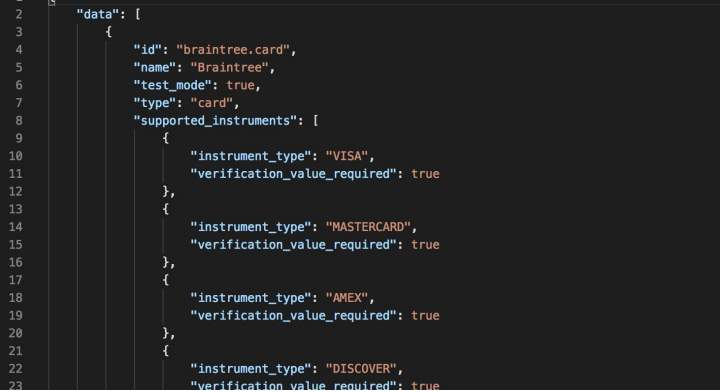
Create a Payment Access Token
- Copy and paste the request below into Postman
- Copy and paste the code below into the body section of Postman
- Replace
{order_id}with an order ID - Select POST next to the request url
- Click the Send button
- Observe response and copy the payment access token

Process a Credit Card Payment for an Order
- Copy and paste the request below into Postman
- Add the following request headers
- Copy and paste the code below into the body section of Postman
- Select POST next to the request URL
- Click the Send button
- Observe response

