Authentication
The B2B REST Management API facilitates admin-level management of all core B2B data, including companies, users, addresses, quotes, invoices, and more.
B2B Edition endpoints are available at a different base URL than the standard BigCommerce REST Admin API:
https://api-b2b.bigcommerce.com
Despite this difference, authentication is handled with the same store-level API tokens that are used for all BigCommerce REST Admin API endpoints.
Creating API Accounts in the Control Panel
Creating an account and token for the B2B REST API follows the same process that is used for all such accounts in the BigCommerce control panel. This is handled within the “Store-level API accounts” section under Settings.
To create a valid API account, create an account with the type “V2/V3 API token” with the “modify B2B Edition” scope.
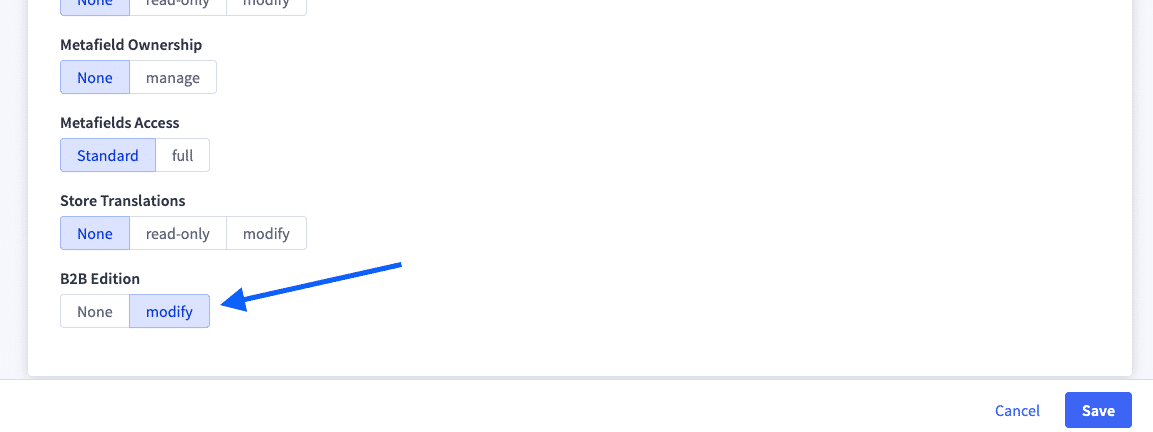
Note that the “B2B Edition” scope will only be available for a store-level API account in stores where B2B Edition is enabled.
Authentication Structure
As with all BigCommerce REST API requests, the token from your store-level API account should be passed in the X-Auth-Token header. In addition, include the X-Store-Hash header to identify your store. (This contrasts with the standard BigCommerce REST Admin API, where the store is identified in the URL path of the endpoint.)
Example Request:
Legacy B2B Edition API Accounts
The B2B REST Management API previously utilized separate authentication tokens managed within B2B Edition. If there are legacy tokens associated with your store, these can be reviewed in the API Accounts section within B2B Edition settings.
These legacy tokens are used in REST requests with the authToken header instead of the X-Auth-Token header, and existing tokens will continue to function. However, creation of these legacy tokens is deprecated.

