Using npm and React to Customize Your Theme
Stencil’s architecture allows for organized customization using npm and React. In production, you can use these tools for stylizing seasonally themed products, temporary promotions, or event tickets. Below is a short tutorial on using npm and React to customize your Stencil theme.
In this example, we’ll be making a drawer that sends a coupon code to the customer’s email using Material UI’s React framework. The resulting customization will look like the following:
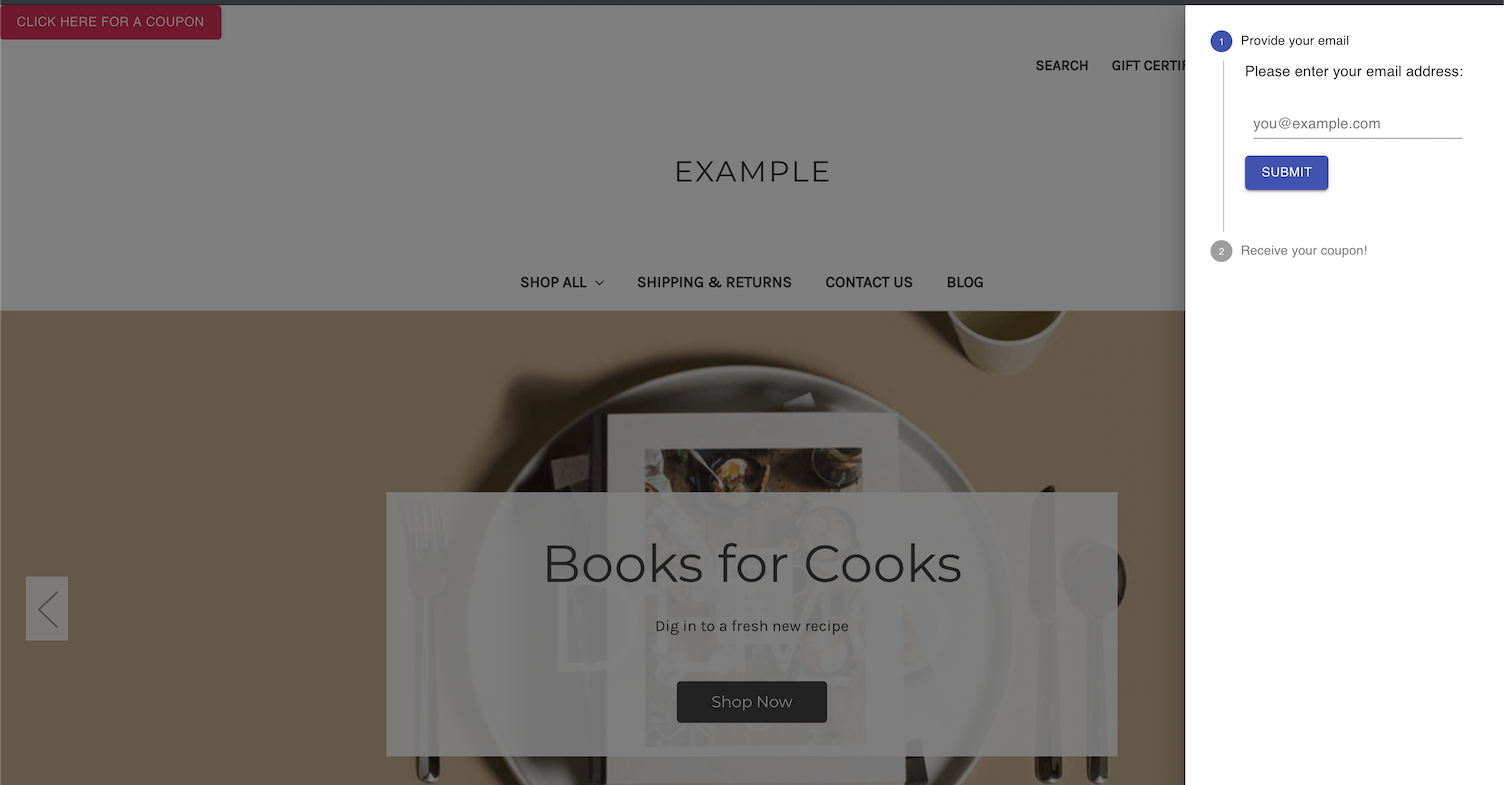
Prerequisites
- Stencil CLI installed
- BigCommerce store
- Cornerstone Stencil theme with npm installed
- Knowledge of HTML and JavaScript
To set up a BigCommerce store, see Creating a Trial Store.
Installing React and npm packages
To build this customization, complete the instructions in the following sections.
Install dependencies
For this example, we’ll be using packages from Material-UI. These components require certain modules.
Navigate into the root Cornerstone theme folder, then install the following npm packages.
Update webpack.common.js
Update webpack.common.js with the React preset.
Create components
In the following steps, we’ll be adding React components to assemble our coupon drawer.
- Navigate to the
./assets/jsfolder. - Create a
/componentsfolder within the/jsfolder. - Navigate into the
/componentsfolder. - Create a
CouponDrawer.jsfile. - Copy the following code into the file:
- In the same
/componentsfolder, create aVerticalStepper.jsfile. - Copy the following code into the file:
- In the same
/componentsfolder, create aTextField.jsfile. - Copy the following code into the file:
Import dependencies
- Import the React dependencies and the new CouponDrawer component we’ve created into
assets/js/app.jswhile also creating a theme instance for Material UI:
- At the bottom of the file, render the
CouponDrawercomponent and assign it an id.
Add the CouponDrawer div to base.html
- Navigate to
templates/layout/base.html. - Add a new div element with our new id inside the body.
Final product
View the finished product using the Stencil CLI command stencil start in the Cornerstone theme directory.
Open your browser and navigate to localhost:3000 to view your local storefront.
Note: This coupon drawer example does not send coupon codes to the emails entered. This is only an example to show how to customize your storefront theme.

