V2 versus V3 API
This is archived documentation. The V2 Catalog API is deprecated. For current API documentation, see the Catalog API.
Advantages of V3 over V2
The V3 API introduces a number of improvements designed to improve efficiency. Most tasks can be performed with fewer API calls, and the V3 API supports the inclusion of subresources within a request. For example, you can now create a product with variants and custom fields in a single API call.
Each V3 resource includes a meta object at the end of the response, making pagination easier.
Additionally, metafields have been added to the V3 Products resource so data can be stored against the object. Metafield values can be specific to your application or visible to other applications.
Lastly, the V3 API has been optimized for performance, allowing data to be synced quickly.
Products in V3
Variants
Every purchasable entity in the catalog is now a variant, including the product itself. This enables enhanced flows around inventory management, such as the ability to solely use the variants endpoint to manage inventory levels. For more on variants see Variants.
In V3 a variant needs to be created for every combination of option values. In V2 it was possible to create a SKU with a subset of product options.
We recommend creating products using V3 as BigCommerce starts to move operations to the V3 API.
V2 SKU rules will override Variant pricing
Creating SKU rules via the V2 API or via CSV import will alter or override any Variant price or sale price added to a product via the Control Panel, V3 API or Price Lists UI.
Options and Modifiers
There is now a clear separation of options that define variants versus options that are modifiers of a variant. This simplifies the creation and management of variant prices and modifier adjusters and removes the need to use complex rules, in all but the most extreme cases.
In V3, options and modifiers are attached directly to the product, without the requirement to create an option set beforehand.
V3
V2
Creating Products and Variants on V3:
- Create the product with variants in one call
- Create adjustments, such as price adjustment, directly on the variant or modifier
Variants can be included with a GET request to lower the number of API calls being made using ?include=variants.
V3 includes endpoints for working with catalog trees. Stores that have multi-storefront enabled can have more than one tree. See the categories section of the Multi-Storefront API Guide. Stores that are not MSF-enabled can use the same endpoints.
Interoperability between V2 and V3
Previously (prior to December 17th, 2018), when a product option, is created in V2 and assigned to a product, trying to edit the global option using the V3 API would return a 422 error.
Instead of a 422 error, now it will automatically copy the V2 global product option to a local product variant option or modifier option. This is triggered by an Update or Delete to either the Product Variant Options or Product Modifiers endpoints.
What this does is:
- Changes the
option_value>id. Not theoption_id. - Creates a copy directly on the product.
- Copies over any variants, modifiers and option set rules.
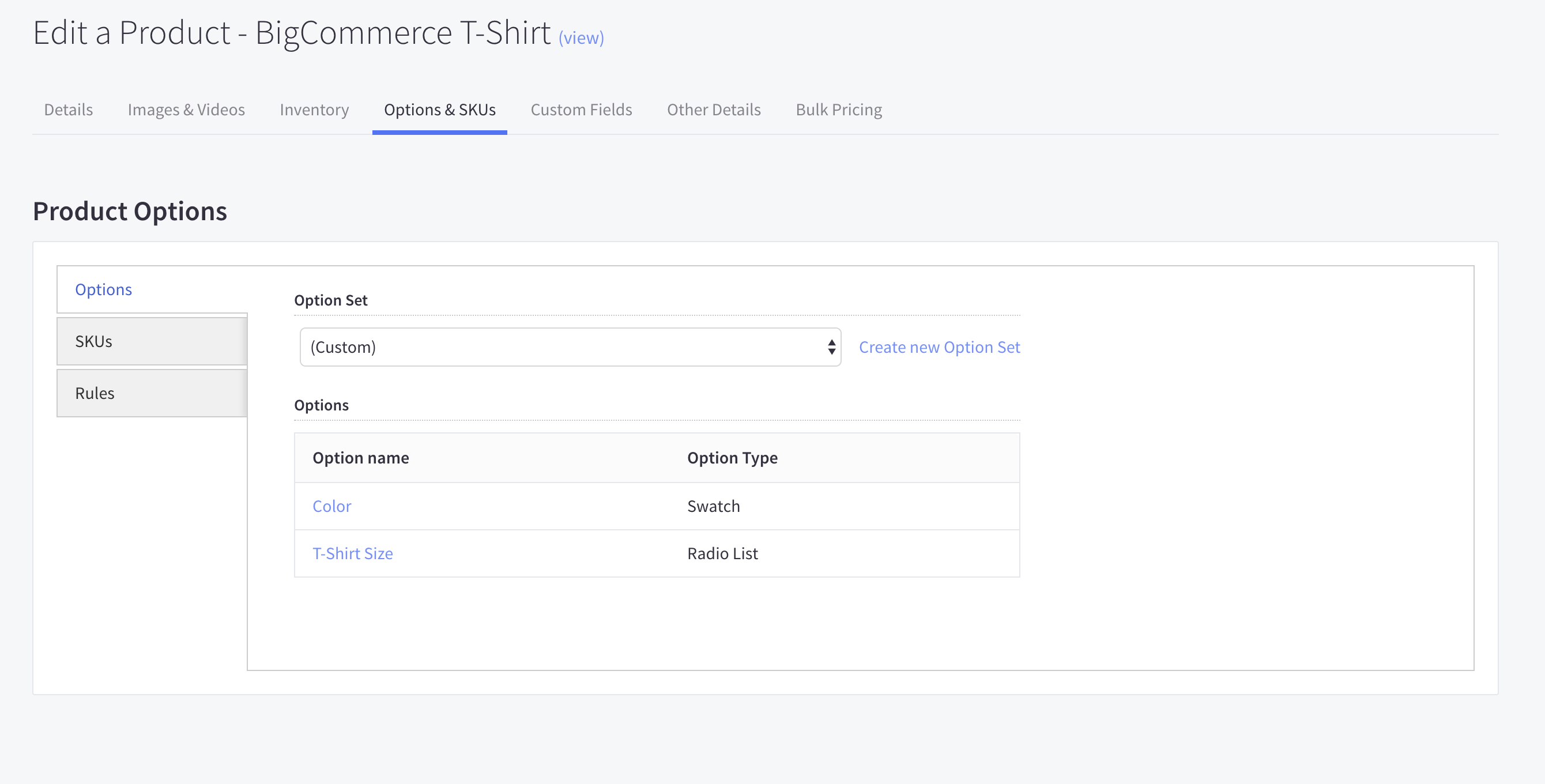
- In the Control Panel the product is listed as having a (Custom) Option Set.
- Global Option Set rules are copied as product rules and the
sort_orderis updated so they executed before any existing product rules (which should mirror the behavior before the product was changed).
What this does not do:
- Remove the Option Set from the store entirely. It is still available in the control panel as an option set to be assigned.
- Change product pricing, rules or any other product modifiers. They will be copied over and assigned the product correctly.
Update Request to Product Option Values
On the following product, you will see the original option response of a product created using V2, a change to the option values and then the final option response.
This product is a T-Shirt with a global option set of size and color added. Take a note of the option values id’s. These will change when an update is made to the option using the /options endpoint on V3. While they will all change since the entire option set is copied to the product, the one we are updating below is the label for Size Small, which has a option_value > id of 192.
Original option response (before update)
Below, “Small” is updated to “Small T-Shirt”.
Update request and response
The ID is now 214. It was changed from 192. Below you can see the option_value > id for all the options changed even though only one was edited. The Control Panel now shows the options as (Custom).
Updated option response (after update)
What’s not in V3
In V3, options are attached directly to products. So option sets are not required, and V3 includes no endpoint to manage option sets. However, V3 will respect option sets that have been attached via V2 or the control panel.
Moving forward, new resources will be built in V3 and existing V2 resources will eventually be migrated to V3. Some V3 resources do not have V2 counterparts, and vice versa.
Complex Rules
Most of the use cases for using V2 rules can be solved by making adjustments directly on variants and modifier options. We recommend using variants as best practice, but in cases where an adjustment depends on the selection of multiple modifier values, V3 includes a Complex Rules resource.
Product Rules
Any variant created in v3 with non-null core properties (price, weight, image, purchasability) will create a rule under the hood. The same goes for modifier adjusters. These will show in v2 as product rules, and any edits to them will be shared across API versions.
Option Sets
In our control panel’s Add/Edit Product section, any products created by the V3 API will not have an option set applied, but merchants can still edit the options. If the merchant applies an option set to a V3 product, the product’s variants will be removed. Currently, the Add/Edit Product area consumes the V2 API, so products created and managed through the control panel will be converted to the V2 model, using option sets.
Recommendations
When the resource is available in V3, it is best practice to use the V3 endpoint. For resources that do not have a V3 counterpart, like Orders, use V2. Both the V2 and V3 APIs authenticate with Oauth and are designed to be used concurrently within a single application.
We have created a handy cheat sheet below that lists all the differences between V2 and V3 of the API.
V2 and V3 Cheat Sheet
This identifies the differences between major actions on both versions.
In the examples below:
- Simple product is defined as not having variants, modifiers or options.
- Complex Products are defined as having variants, options and modifiers.
Simple Product
Get a Product
V3
V2
GET /v3/catalog/products/{product_id}
Create a Product
V3
V2
POST /v3/catalog/products
Create Product with Images
V3
V2
POST /v3/catalog/products/{product_id}/images
- Create a product using:
POST /v3/catalog/products - Add images using:
POST /v3/catalog/products/{product_id}/images
Create Product with Video
V3
V2
POST /v3/catalog/products/{{id}}/videos
- Create a product using:
POST /v3/catalog/products - Add video using:
POST /v3/catalog/products/{{id}}/videos
Complex Products
Create Product with Variants/SKU
V3
V2
POST /v3/catalog/products
Create a Product with Variants and Modifiers
V3
V2
POST /v3/catalog/products/{product_id}/modifiers
This examples uses a checkbox which is created in two steps.
1. Create Modifier
2. Update Modifier Values
PUT /v3/catalog/products/{product_id}/modifiers/{modifier_id}/values
Create a Product with Rules/Complex Rules
V3
V2
POST /v3/catalog/products/{product_id}/complex-rules
They are not recommended for V3 products since they can be created at the variant level. See Complex Rules for more information.
Stock Levels
Update Stock Levels (Simple Product)
V3
V2
PUT /v3/catalog/products/{id}
Update Stock Levels on Variant/SKU
For a single SKU.
V3
V2
PUT /v3/catalog/products/{id}/variants/{id}
Update Stock Levels on Multiple Variants/SKU
V3
V2
PUT /v3/catalog/products/{id}

