Widget Versioning
Widget versioning allows developers to release updates to widget templates without impacting existing widgets created using those templates.
A single widget template can have multiple versions, each with its own template and schema properties. The widget template’s current_version_uuid property points to the most recent version of the widget template. When you create a widget, it automatically uses the most current version of the widget template and saves it as the version_uuid property.
Old Relationship Model
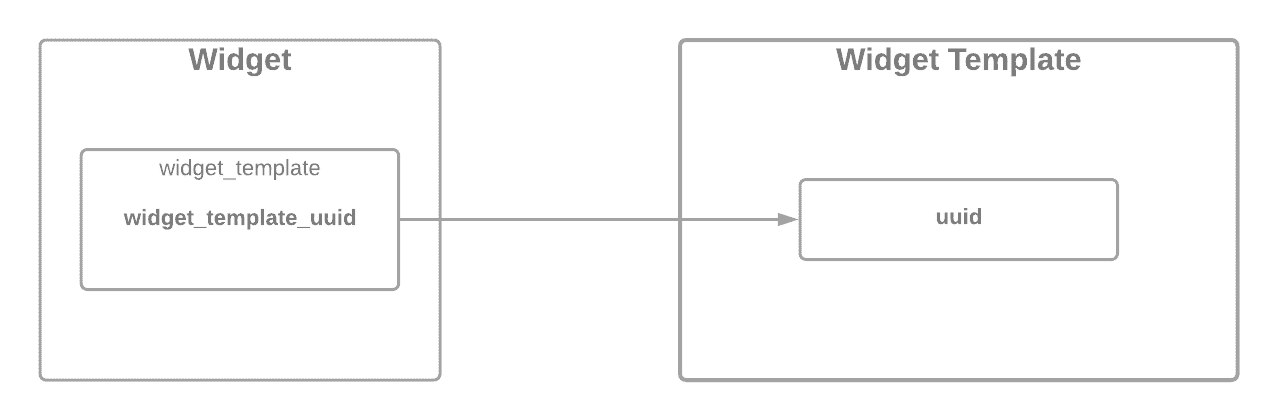
Prior to widget versioning, a widget would point to a widget template only via the widget_template_uuid property. The widget would always use the latest version of the widget template, and updating the widget template would subsequently update all of its widgets.
New Relationship Model
Widget versioning introduced current_version_uuid and version_uuid properties. Now, in addition to widget_template_uuid, the widget can specify the template version via version uuid_.
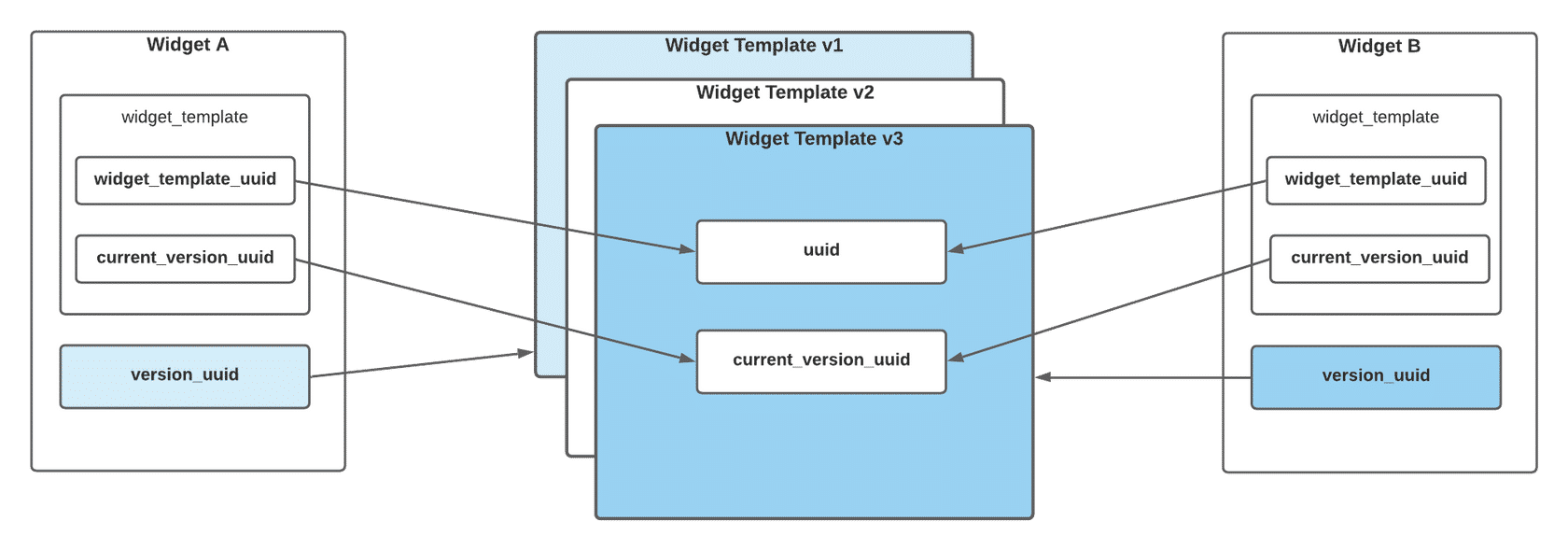
Although a widget template can have multiple versions; there can only be one active version at a time. This setup means that a template can have multiple version uuid’s associated with it, but it cannot have more than one current version_uuid.
Widget template definitions
Widget definitions
Update a Widget Template
To update a widget template without impacting existing widgets, set the create_new_version property to true when sending a PUT request to /v3/content/widget-templates/{uuid}. This will create a new widget template version, but it will not impact the widgets created before the update.
Updating the widget template with create_new_version set to true will change the value of the current_version_uuid in the widget and the widget template, but it will not change the value of the widget’s version_uuid.
It is possible to update your widget template without creating a new version. To do so, exclude the create_new_version field or set it to false when making a PUT request to update the widget template.

