What Is Stencil?
Stencil is BigCommerce’s theme engine that allows theme developers to create beautiful, dynamic, and powerful storefronts. It powers BigCommerce’s Cornerstone theme, which serves as your framework for creating custom sites. The Cornerstone theme is available on Github and will be referenced throughout the course. Although Cornerstone is used as the example theme throughout the course, Stencil CLI will work with any Stencil themes from the Theme Marketplace.
Stencil incorporates industry best practices in technology, design standards, and SEO, allowing you to build a stunning storefront that engages shoppers and encourages checkout on any device.
Key Features and Benefits of Stencil
- Local Development: With Stencil, you can develop locally and show your modifications and customization prior to uploading to production.
- Fast template engine: Everything is bundled, minified, and parsed into a very small package.
- Handlebars / YAML Front Matter: Part of the template framework is the inclusion of handlebars and the exposure of more API content to the theme, such as the GraphQL Storefront API.
- Share in Real Time: Development work is easy to share with clients during the development process. Stencil exposes a server in your environment that clients can use to review your work in real time.
- Developer Friendly: The Stencil framework allows you to develop and test code locally, which means that you can try a new approach without applying any changes to the live store. Stencil CLI accomplishes this by querying data in a live store from your local environment.
- Handlebars Templating Language: Handlebars Templating Language is a core component of the Stencil framework. It provides developers with a powerful way to create dynamic and customized themes. Handlebars allows developers to access and manipulate various data objects within the BigCommerce ecosystem, including customer, cart, and product information.
- Minification of CSS and JS: The Stencil framework minifies and combines JavaScript and CSS scripts, which cuts down on web requests and limits the size of files. By condensing it all down to single CSS and JS files, HTTP requests are reduced, which increases the site loading speed.
- Rich Frontend UI/UX Development: BigCommerce Stencil is equipped with tools to help BigCommerce web designers create intuitive UIs.
Stencil Theme Overview
Stencil Command Line Interface (CLI)
The Stencil CLI enables developers to locally develop and customize any Stencil theme with no impact on a merchant’s live storefront during the development process. When developing locally, you will have access to real-time Browsersync preview and testing across multiple devices, such as desktop, mobile, and tablet.
Stencil CLI runs on the Node.js runtime environment. Installing Node.js also provides the required npm package manager.
Templates with Conditional Logic
BigCommerce developers can customize storefront pages efficiently with the lightweight templating language, Handlebars. Handlebars allows you to embed dynamic and conditional logic onto your storefront pages.
CSS and Design Assets
Stencil’s Sass and SCSS support allows developers to nest properties, variables, and mix-ins. Cornerstone uses a BigCommerce pattern library called Citadel, which is built on top of the Foundation framework version 5.5.3.
Page-Specific Resource Definition
YAML front matter allows you to request only the objects you need on the storefront, increasing page speed and allowing you to define the content rendered with just a few keystrokes.
JavaScript Event Hooks
Stencil themes can access remote objects through event hooks, using the hooks to trigger defined events based on shopper behavior. This will allow you to collect product data and optimize a shopper’s experience. To facilitate theme-building, BigCommerce provides the stencil-utils client-side JavaScript library for managing event hooks.
Extensibility
Stencil allows developers to extend the features baked into Cornerstone by adding third-party JavaScript libraries.
Customizing Stencil Themes
Although this course focuses on the Command Line Interface (CLI) for advanced developers, there are three options available for editing and customizing themes.
Click the tabs below to learn more about Stencil theme customization options.
Page Builder
Theme Files
Command Line Interface (CLI)
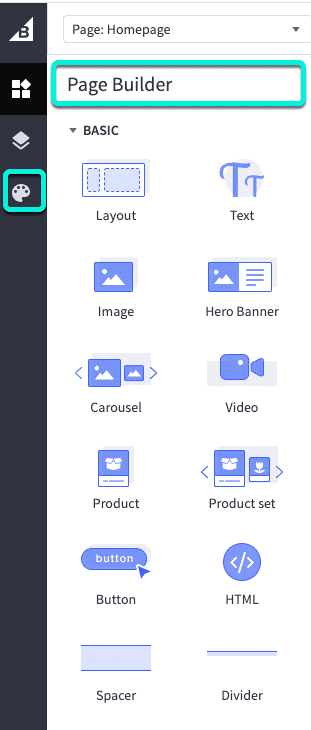
The easiest way to edit a theme is using Page Builder. Page Builder allows you to customize your theme’s elements such as colors, fonts, and product display settings to align with your brand identity. Additionally, its intuitive drag-and-drop interface lets you effortlessly construct visually appealing pages using a variety of content blocks.
For advanced users, Page Builder offers access to theme template files for granular customization.